Capture or record the exact thing
Grab screenshots or screen recordings from an area, a selected window, or a full display without leaving the menu bar.
100% free · open source · macOS 13+
Capture scrolling screenshots, record MP4 video with audio, polish recordings in a built-in demo editor, annotate, pin, and OCR text on your Mac. Free, open source, local, and no account required.
8.3 MB · macOS 13+ · notarized by Apple
Shotnix Capture + Record
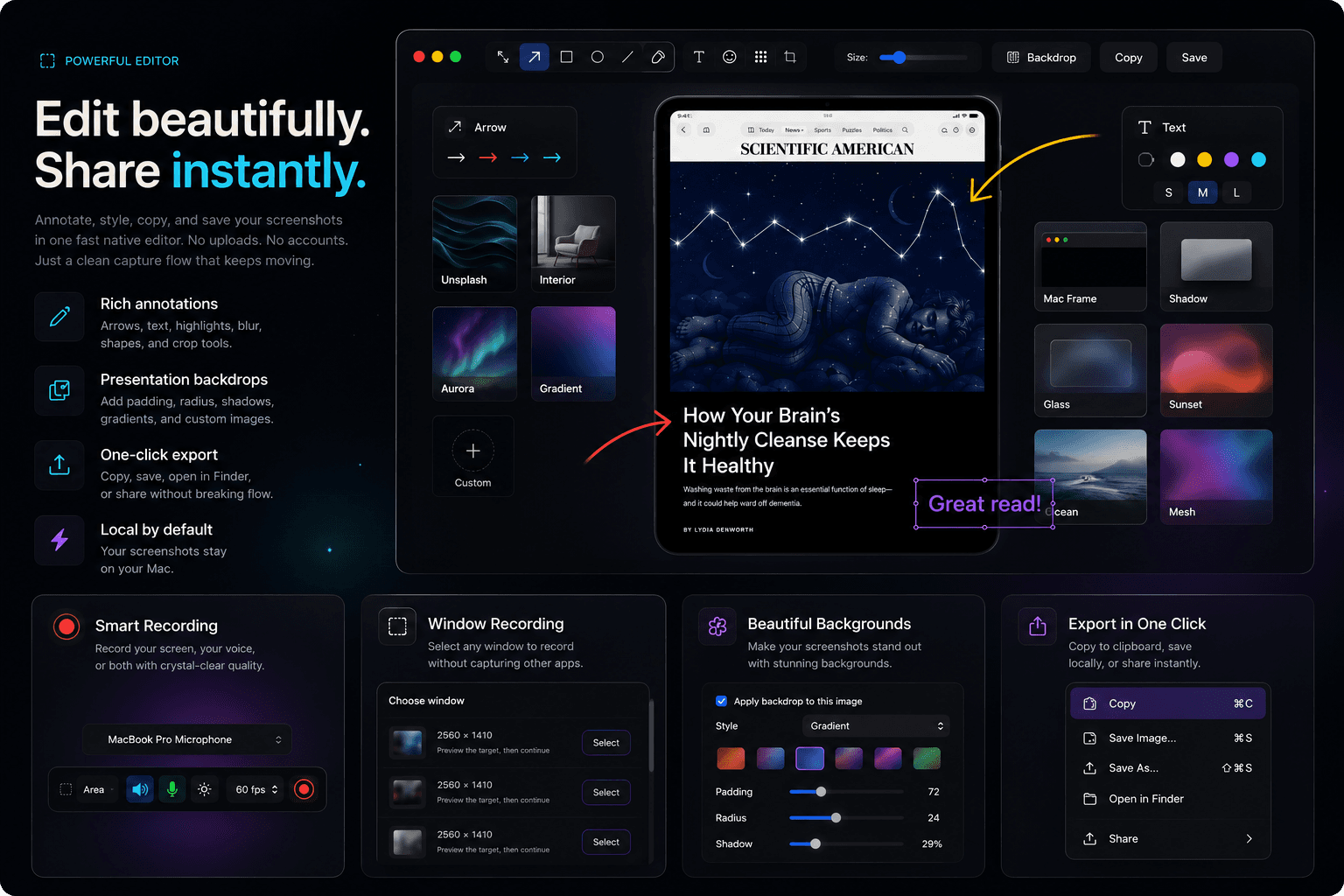
Built for daily Mac work
Grab screenshots or screen recordings from an area, a selected window, or a full display without leaving the menu bar.
Choose system audio, microphone input, cursor visibility, quality, and FPS from a compact pre-recording control bar.
Add arrows, shapes, text, highlighter strokes, blur, pixelation, numbered markers, and crops in a focused native editor.
Open any recording in the built-in video editor — clip timeline, per-clip speed, auto zoom, cursor effects, text callouts, and MP4 export, all local.
Native rhythm
Shotnix keeps recording controls and post-capture choices close instead of forcing every capture through the same save dialog.
Free and open source
Shotnix is 100% free and open source. Download the beta, inspect the code, fork it, or use it for real work.
Open GitHub repositoryDefault shortcuts
Area capture
⌘ ⇧ 5Window capture
⌘ ⇧ OOCR text extraction
⌘ ⇧ SScrolling capture
⌘ CCopy from overlay
EscStop a recording
Every shortcut is customizable in Preferences → Shortcuts — including the recording hotkeys.
What's new
Shotnix v0.18.0-beta adds recording hotkeys with Escape-to-stop, a multi-display fullscreen chooser, custom file name templates, Copy Text on the post-capture overlay, barcode scanning beyond QR, and annotation editor zoom, constraints, and style memory — plus reliability fixes that save interrupted recordings and protect your clipboard.
Read the full changelog →FAQ
Yes. Shotnix is 100% free and open source under the MIT license. No subscription, no account, and no paywall.
Shotnix supports area, window, fullscreen, previous area, scrolling capture, OCR text extraction, QR code scanning, and area/window/fullscreen screen recording on macOS.
Yes. Shotnix is a native macOS app and the core capture, annotation, history, export, and pinning workflow is local.
Yes. Official downloads are signed with Apple Developer ID and notarized by Apple, so macOS can verify the app before launch.
Shotnix needs Screen Recording permission to capture screenshots, recordings, OCR selections, and QR scans. Captures stay local on your Mac.
Shotnix targets macOS 13 and newer.
The project is MIT licensed, which allows free personal and commercial use, subject to the license terms.
Shotnix includes Sparkle auto-updates: it checks the official appcast and installs signed, notarized releases in place — no reinstall needed. You can also download the latest DMG from this site or GitHub at any time.
Shotnix is 100% free and open source with no account, and covers capture, annotation, OCR, scrolling capture, pinned screenshots, and a built-in video demo editor with a timeline, zoom, and cursor effects. Paid tools still offer extras like cloud sharing — Shotnix keeps everything local by design.
Yes. Recordings can include system audio and microphone input, selectable before the recording starts, and Shotnix excludes its own capture sounds to avoid feedback.
Available now
Shotnix is fully functional today, 100% free and open source under the MIT license, and available as a direct macOS download.
Get Shotnix for macOS8.3 MB · macOS 13+ · signed and notarized by Apple